Blog
Trends and Patterns for Creating a Custom LLM App
AI leverages both new and existing UX patterns; learn which patterns to use when designing AI interfaces.
Aug 22, 2023

AI LLM Trends & Patterns
The rise of ChatGPT has sparked a surge in the popularity of AI LLMs (Artificial Intelligence Large Language Models). Almost every industry is actively exploring how to incorporate AI into their existing systems or workflows. Amidst this wave of innovation and experimentation, it is important to remember well-established UI/UX best practices when designing AI tools. AI-powered applications, such as ChatGPT, are designed so that when a user inputs a prompt, it responds with output. This process is quite similar to seeking information from popular search engines like Google. From a design standpoint, how are companies implementing AI applications in order to deliver greater value than existing search engines and chatbots? What common patterns in AI are emerging and how do we see those patterns evolving in the future?
User Interface Patterns
The Icon
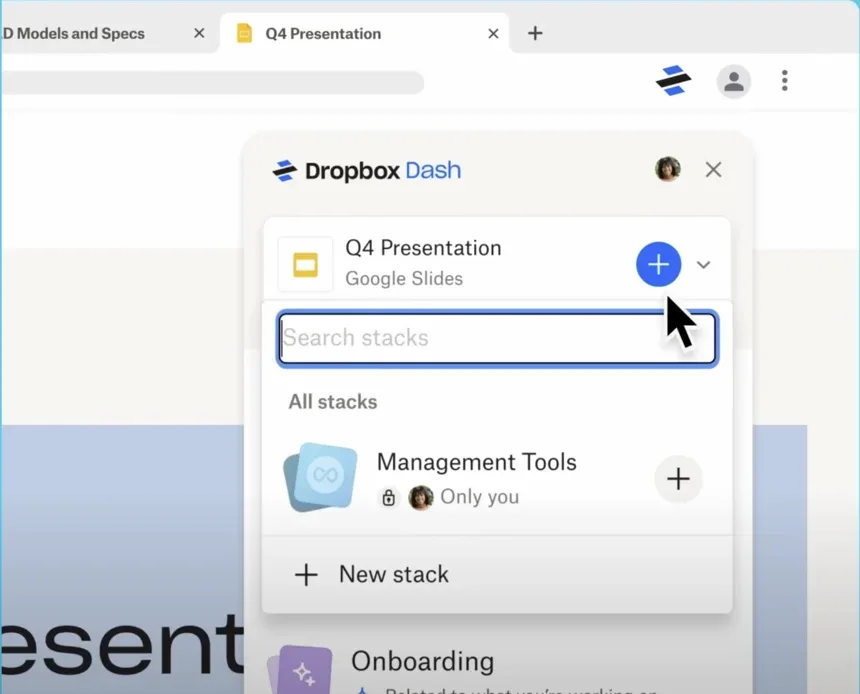
Icons play a vital role in visually depicting steps and navigation within software. These visual indicators are the initial impression we encounter when engaging with a new feature. Among these icons, one has gained universal recognition for AI: the sparkle. ✨Let’s discuss why this symbol has become synonymous with “AI” tools. The sparkle icon captures the essence of wonder, magic, and innovation. It perfectly embodies the incredible capabilities of AI, generating vast amounts of information seemingly out of thin air. It is this awe-inspiring quality that makes the sparkle icon such a fitting and widely recognized symbol for AI.Interactions involving submitting questions into a search bar may not feel novel or groundbreaking. However, by incorporating the “glitter icon”, it elevates the experience beyond just delivering a superior answer compared to generic search bars or chatbots. The inclusion of this eye-catching feature adds an element of intrigue and allure that sets it apart from traditional methods of information retrieval leaving them with a sense that they are partaking in an exceptional user experience.In the future, could we witness a possible transformation of this icon? It’s essential to acknowledge that there is no one-size-fits-all answer encompassing all the intricate variations in different usage scenarios. The key factor to consider when selecting an icon is its universal comprehension. Maintaining a consistent and universally understood icon associated with AI creates a sense of permanence and reliability.As AI-powered applications become more integrated into different sectors, companies are increasingly seeking ways to stand out. Dropbox Dash is a prime example of this trend, with the company moving away from the conventional sparkle icon typically associated with AI interfaces and instead branding their own artificial intelligence. This strategic decision reflects an effort by industries to establish distinct identities for their AI platforms in order to create a unique user experience. By doing so, they can effectively differentiate themselves from competitors and foster stronger brand loyalty among consumers.
The Layout
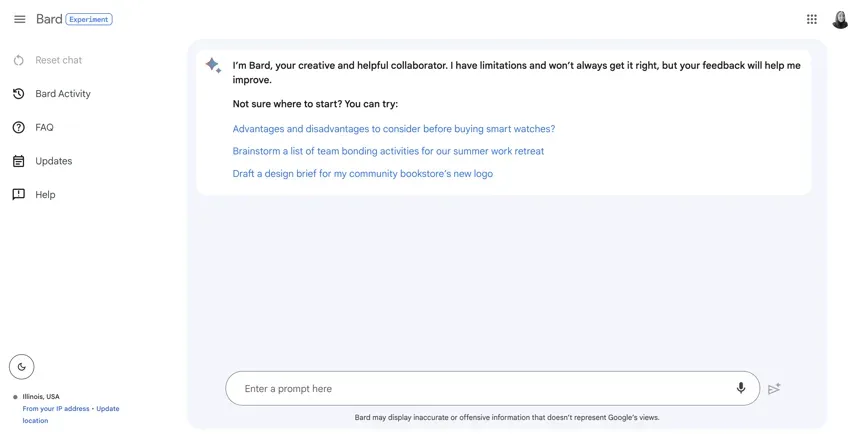
A well-designed layout enhances user navigation. The placement of the AI LLM will primarily be determined by the site or application’s most critical use case. This prioritizes functionality and streamlines the user experience.Individual Search Engine Site / Landing PageCurrently, many powerful AI-based language models exist as standalone websites. For instance, if you wish to utilize Bard you need to open a new tab and input your prompt in the search bar. The advantage of these engines is that they offer a fully responsive interface for reading and scanning large volumes of text, allowing users to effortlessly navigate through various tabs.
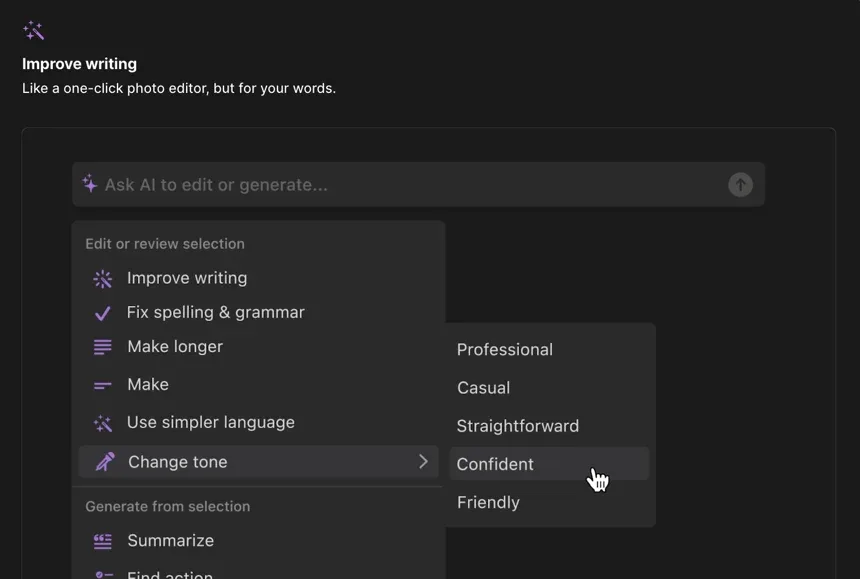
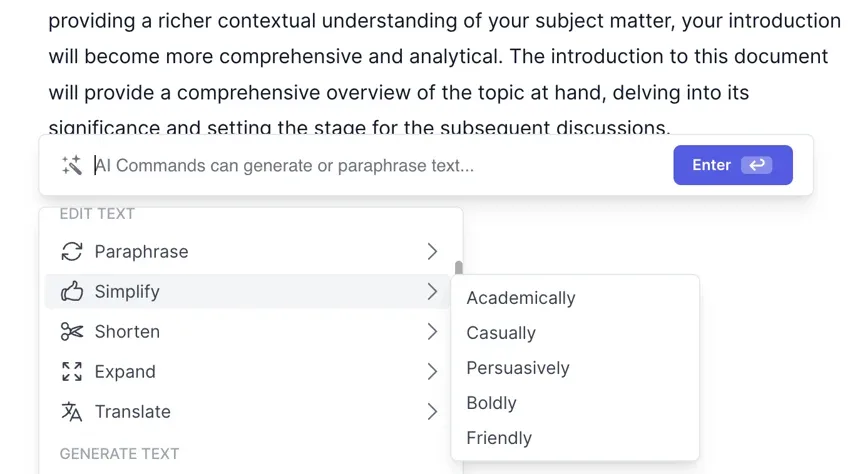
Task BarsOther AI interfaces are reduced to taskbars, serving as secondary tools for finding or generating information on specific websites. Notion.AI is an example of such an interface. To activate the Notion AI taskbar, you have multiple options: press the space bar, use the command + J hotkey shortcut, or simply highlight the desired content to activate various AI features. The advantage of using a taskbar is that it remains hidden until activated. However, one drawback of relying on shortcuts like pressing the spacebar is that there’s a chance you may unintentionally trigger the tool when you don’t need it.
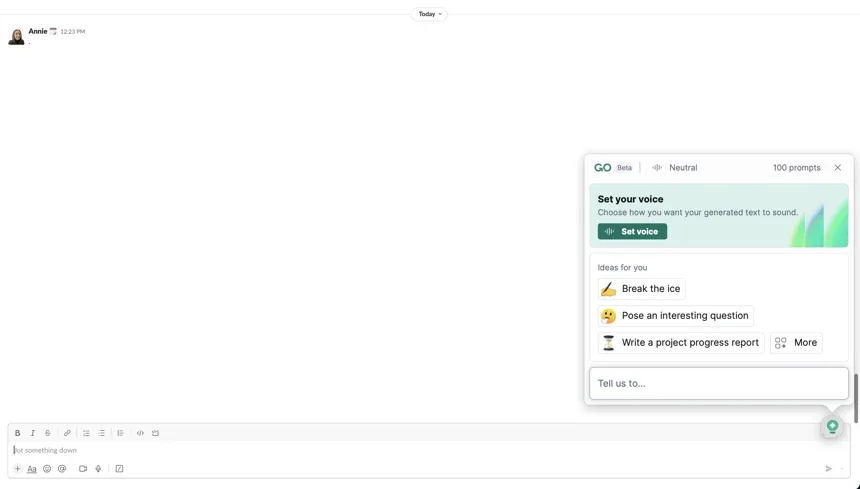
WidgetsA popular way industries are integrating AI LLMs into their sites are through chatbot widgets. But how are they differentiating them from current chatbots?Industries are increasingly integrating AI LLMs into their websites using chatbot widgets. However, they face a challenge in differentiating these widgets from traditional chatbots. A powerful tool like GrammarlyGo leverages AI to enhance writing for users across multiple platforms, including Slack integration shown below. The user-friendly widget is conveniently positioned at the top of your browser or lower left corner of your screen. Unlike typical virtual assistant-style chatbots, Grammarly provides useful additional prompts and commands tailored to the specific needs of writers. It also offers flexibility by allowing you to reposition or disable the widget if it becomes obstructive during use. Despite these benefits, similar to regular chatbots, these widgets have limited on-screen space allocation which can pose readability issues when dealing with longer responses.
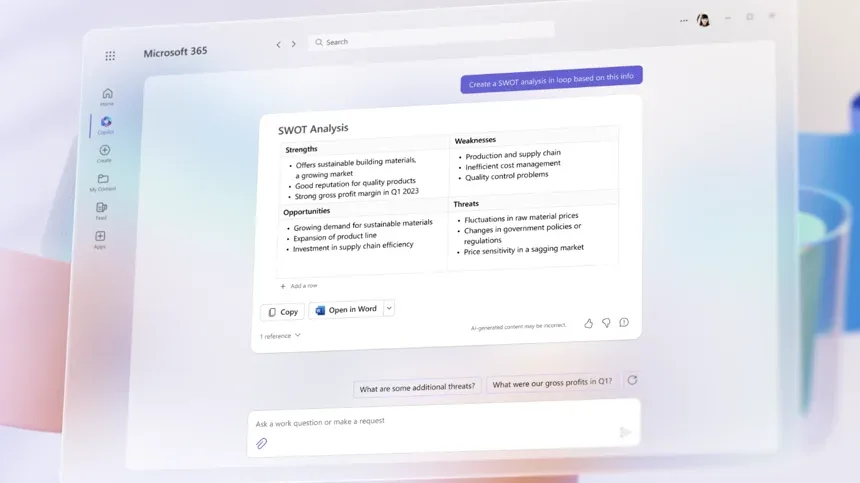
Universal Widgets + Task Bars + SitesAI LLMS apps with multiple capabilities that are integrated into multiple systems usually have various interactive elements such as widgets, taskbars, and individual sites. One example of this integration is Copilot in Microsoft’s applications which offers a range of capabilities. In Copilot, there is a chat widget located in the lower left corner that allows users to generate prompts and utilize the taskbar for specific commands. Additionally, it provides its own landing page space where you can easily create content.
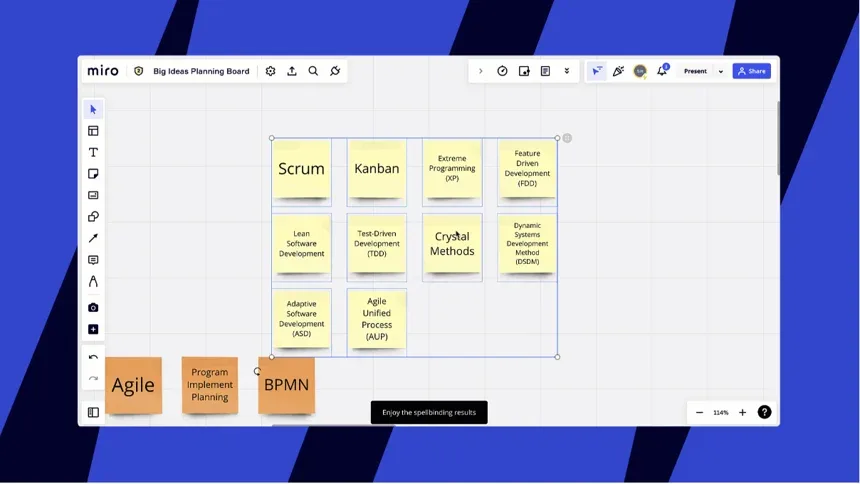
ResponsivenessIn the near future, we can expect an increasing number of companies to adopt dynamic and responsive layouts that empower users to personalize their AI experience. This includes providing options for users to easily customize the size and position of their AI interface on their screens. Moreover, companies will give users greater control by enabling them to disable the AI feature whenever they find it unnecessary or obstructive. By implementing these user-friendly design elements, companies will enhance customer satisfaction and ensure a seamless integration of AI technology into everyday life.AnimationsMajor drawback of LLMs is their extensive computational requirements, demanding significant amounts of time and energy. To effectively manage user expectations during the generation process without causing frustration, it is crucial to engage and entertain them throughout. An effective approach would be to employ visually stimulating elements such as entertaining animations and engaging prompts.Open AI’s ChatGPT allows the user to begin reading before all the information is fully available by generating text that appears as if it’s being typed on the screen while still computing. By providing an immersive experience where words appear gradually, ChatGPT draws in readers and encourages them to keep reading despite incomplete information.
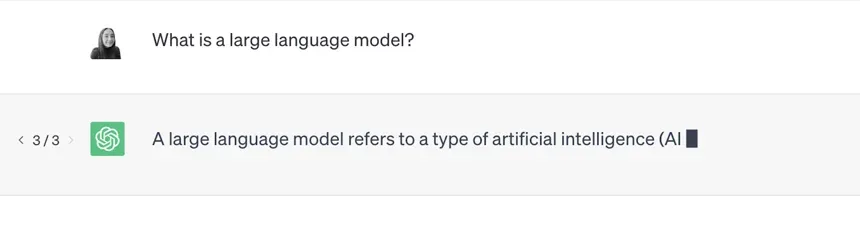
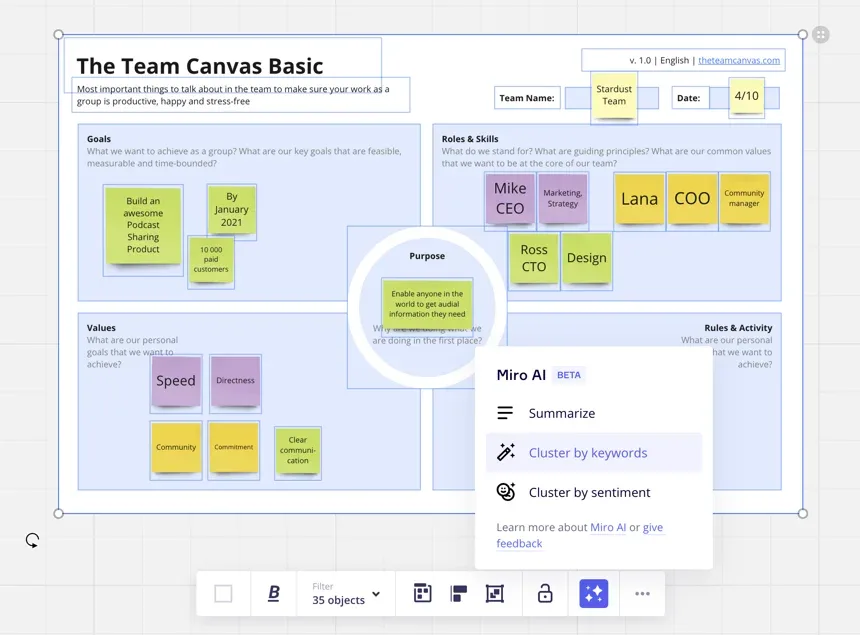
Miro AI effectively uses a captivating tone when showcasing various magic-themed snack bars, such as their enticing phrase “enjoy spellbinding results”.
When Tripnotes is loading results, its icon pulsates in a way that mimics breathing, creating a visually pleasing animation that distracts the user from the waiting time.


In the distant future, the computational speed of AI will increase significantly, leading to a decrease in the need for loading prompts and animations. However, in the near future, there is a growing demand for visually appealing and interactive AI LLM elements. Therefore, we will continue to witness more innovative visual patterns to enhance the user experience.
User Experience Trends
The new LLMs are truly exceptional compared to chatbots and search engines of the past. Their integrated features and commands are revolutionary, providing shortcuts in the workspace that significantly boost productivity and save valuable time for users.
Common Features
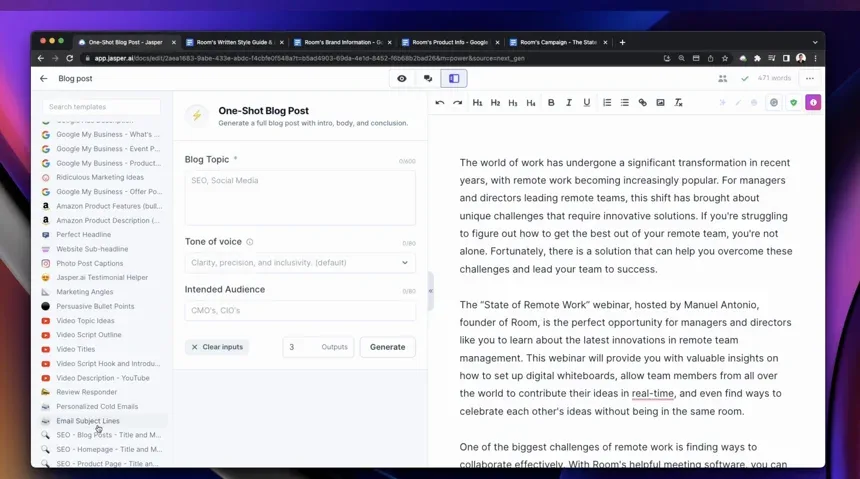
Customization / Terminology Settings LLMs are an exceptionally powerful tool, providing a multitude of customization options that can be tailored to individual users and their specific needs. And as technology continues to evolve, the potential applications for LLMs will only continue to expand.Tone LLMs offer the flexibility to adjust the tone of how they communicate to you and how they present your information, depending on the scenario. Jasper.AI is an example of a platform that enables you to fine-tune the tone of voice and intended audience.
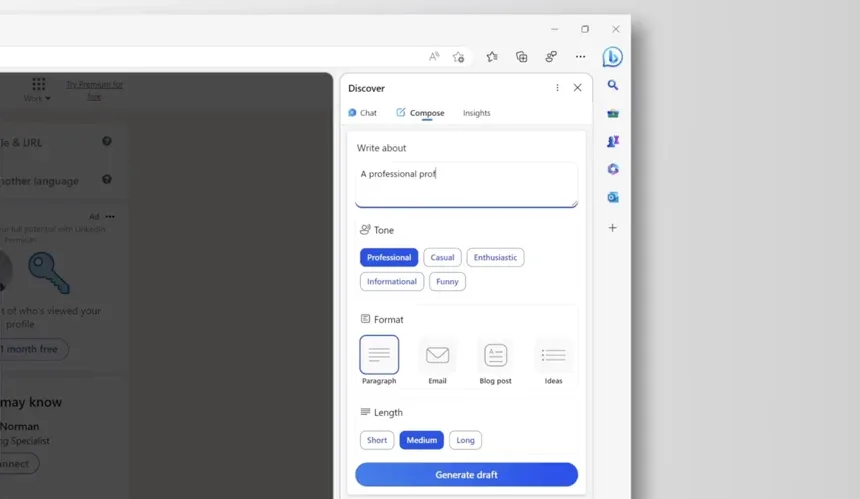
LengthNot only can users adjust the tone of their responses, they also have the ability to control the length of their output. With the range adjustment feature in Bing AI, users can save time when they need to lengthen or shorten content.
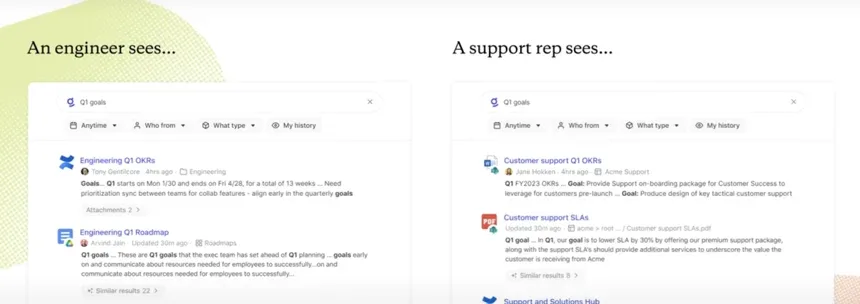
Role-Based Industries, Glean have taken customization to the next level by generating outputs based on the role of the user. This allows an even more curated user experience for the user.
Trusted Answers
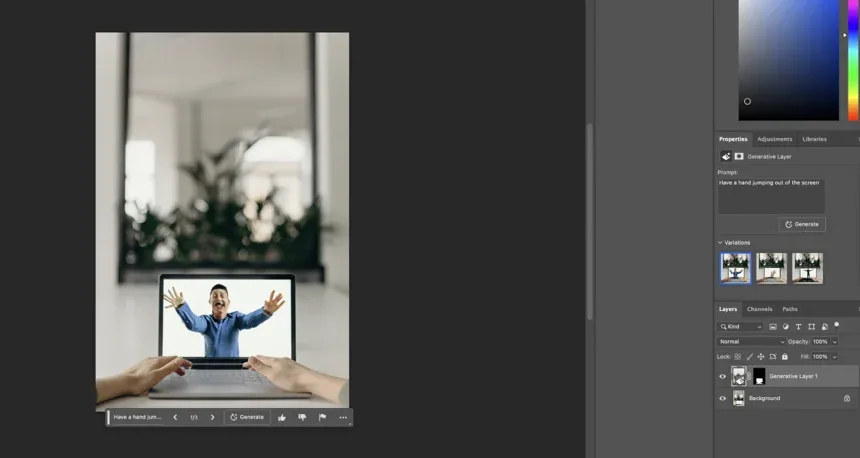
It is crucial to ensure that responses are always up-to-date and accurate. Industries are implementing various strategies to instill trust in users regarding the answers they receive.Multiple OptionsMost prompts create 1 to 3 variations for users to choose from so they can choose the most accurate response. Photoshop Generative AI allows the user to toggle through three variations.
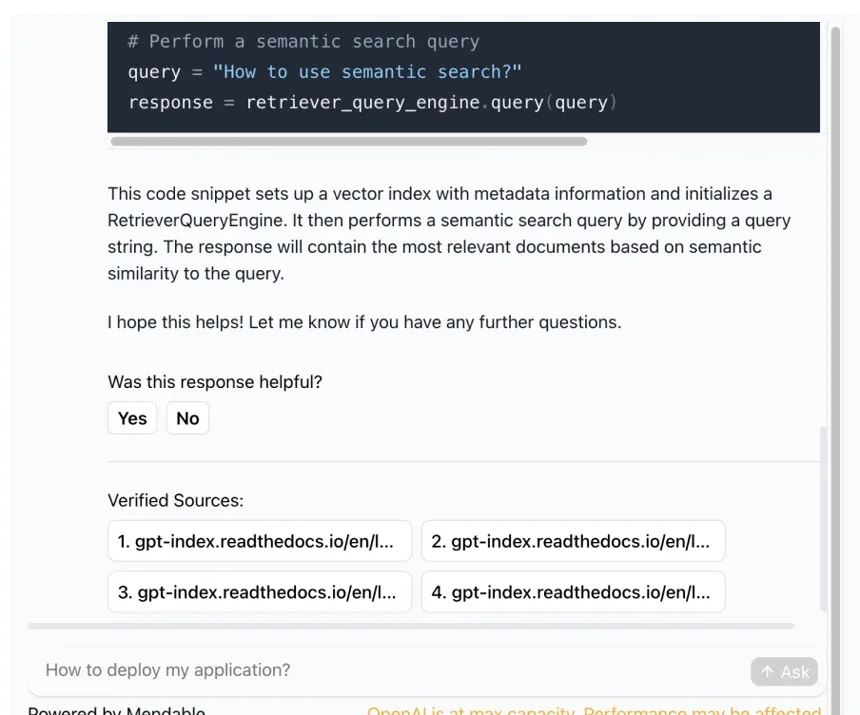
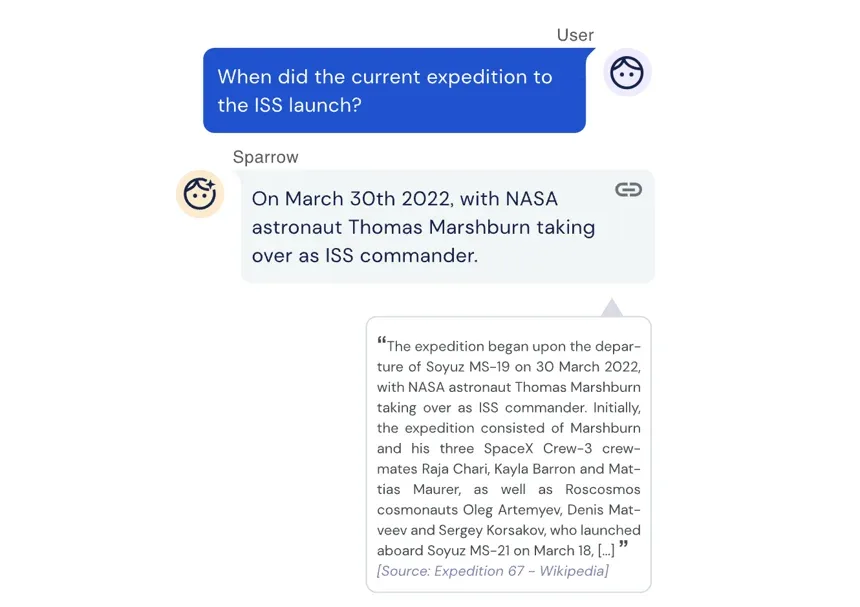
Verified Source Links To ensure the accuracy of information provided by LLMs, it’s crucial to know where they are getting their data. Llama Index has implemented a reliable method for verifying their responses to users by providing links to the sources being utilized.
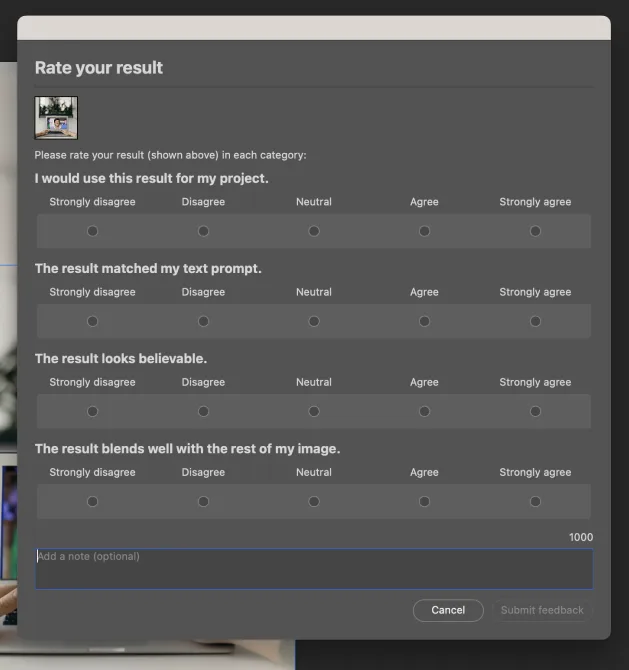
Provide Feedback LLMs can provide responses that range from highly accurate to not accurate at all, depending on the user’s input. Most LLMs allow for feedback to be provided, such as with Photoshop Generative Fill. Feedback can range from good to poor, with space given for descriptions to aid future users. It is important to note that the accuracy of an LLM’s response is directly tied to the quality of the input provided by the user.
Moving forward, the accuracy of these responses will undoubtedly improve. We can expect to see new methods of verifying the accuracy of these responses emerge in the future. One such initiative is Deepmind Sparrow, which is spearheaded by Google to generate dialogue agents that are not only helpful but also precise and benign.
PrivacyCurrently, there are no regulations or standards regarding data security or how large LLM industries store and share data. These cybersecurity risks are a cause for concern among users and industries, particularly when sensitive information is involved.Industries venturing into the LLM space must prioritize privacy and security for their users, ensuring that they can confidently input information into these systems. While governments work on implementing regulations, it is crucial to include a disclaimer regarding the lack of data security when creating an AI LLM application in the meantime.
Prompt Commands / Shortcuts
Many industries are taking advantage of creating specialized commands in the LLM space that are taking tasks that once took multiple steps or revisions into a single action.Different industries have been competing with each other but overall all are promoting how they will increase:
- Productivity & Efficiency
- Knowledge Management
- Collaboration & Engagement
- Creativity
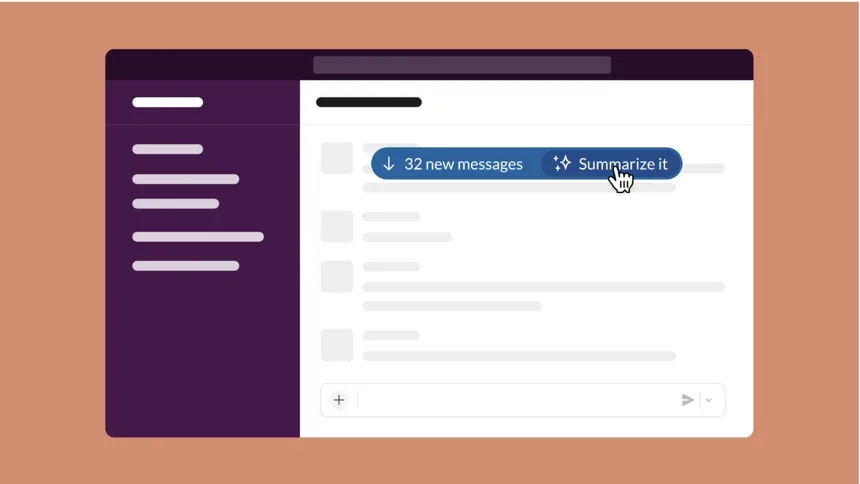
Here are popular commands we have seen so far are in the work industry space:Summarize:Slack GPT
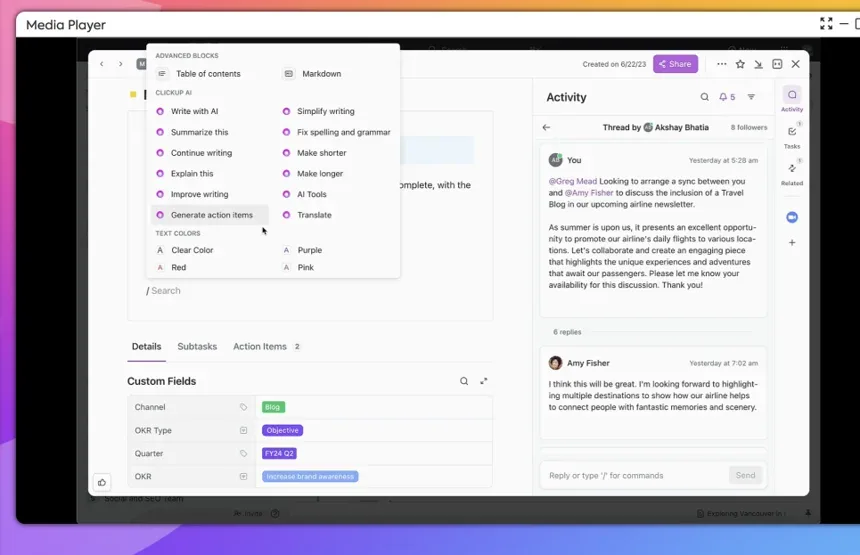
Generate text:Clickup
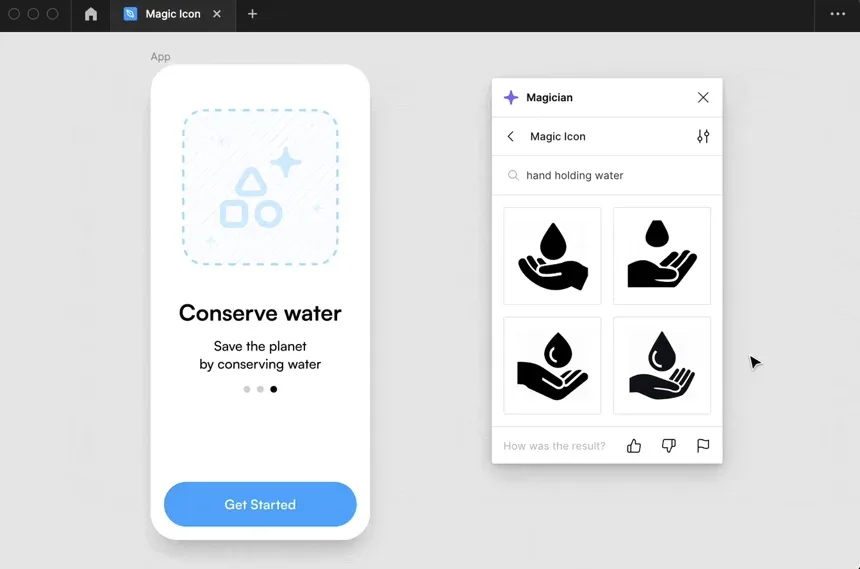
Generate Visuals:Figma Magician
Edit Writing/Tone:Jenni.AI
Synthesize / Cluster:Miro.AI
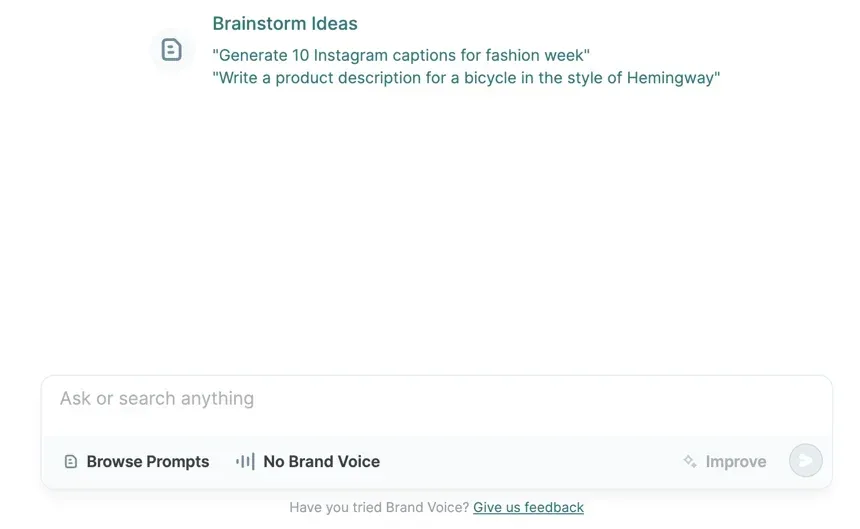
Brainstormg: Copy.ai
Locate:Glean
Sort: Dropbox Dash
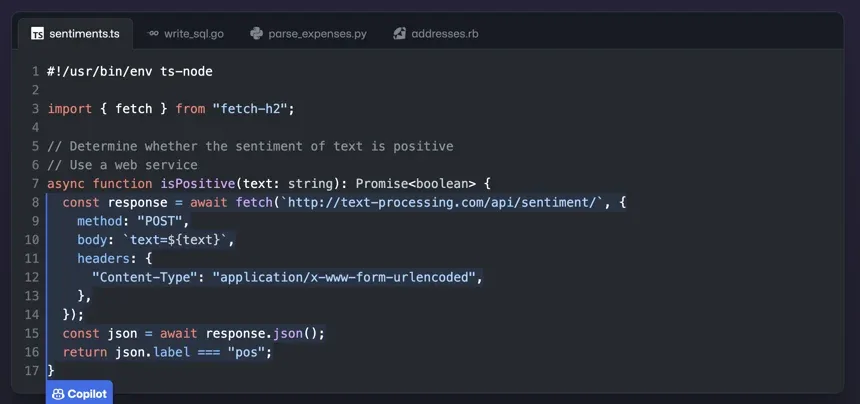
Suggest: Github Copilot
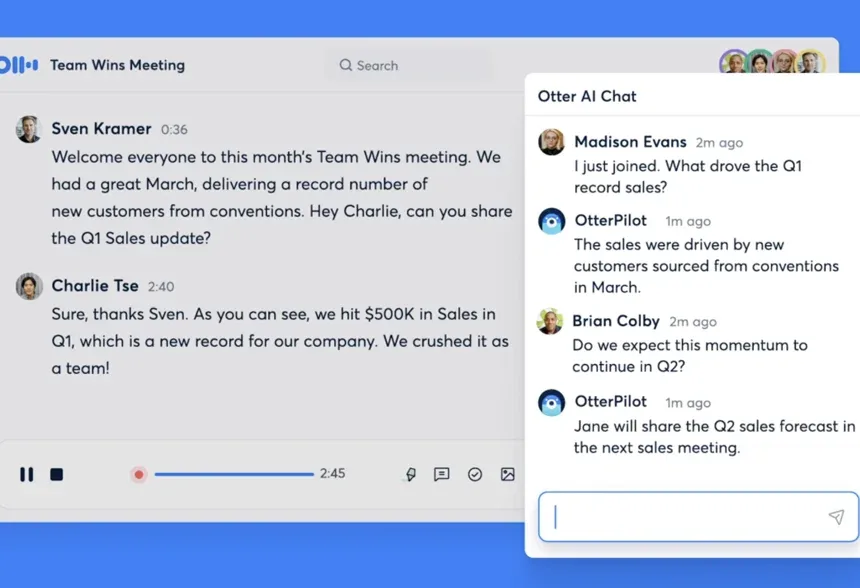
Transcribe:Otter
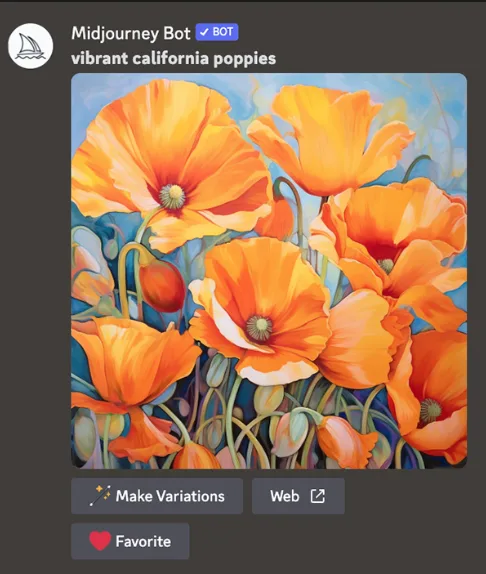
Create images: Mid-journey
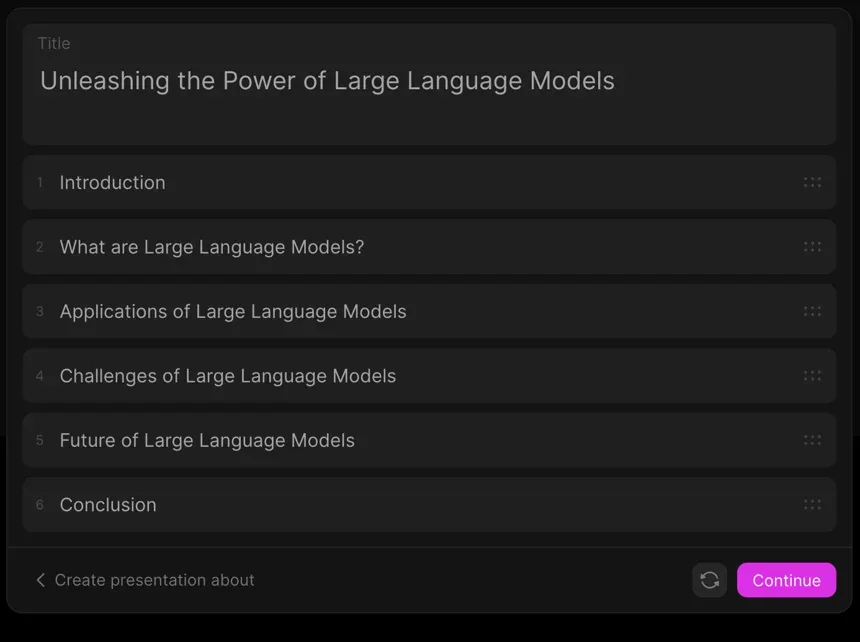
Create a PowerPoint Deck: Tome
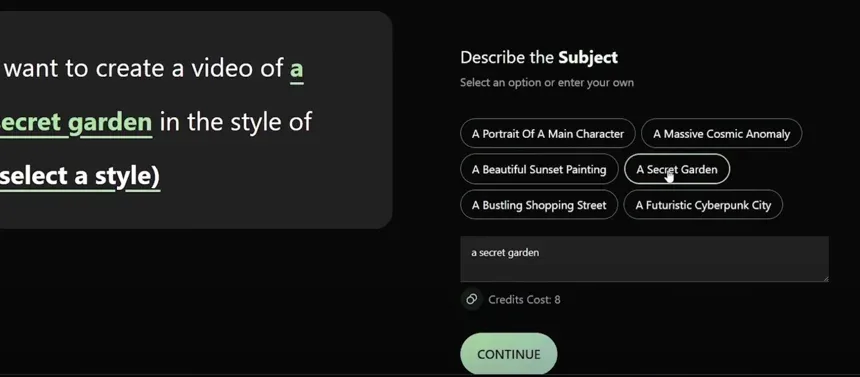
Create a Video:Kaiber
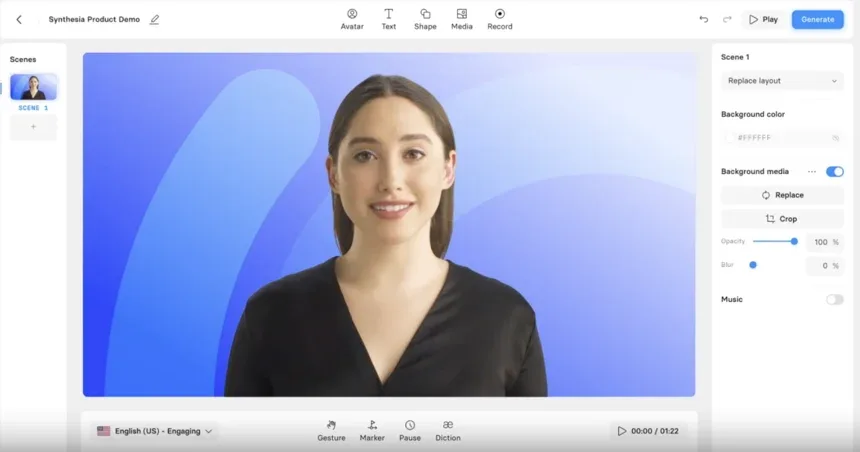
Text to Speech:Synthesia
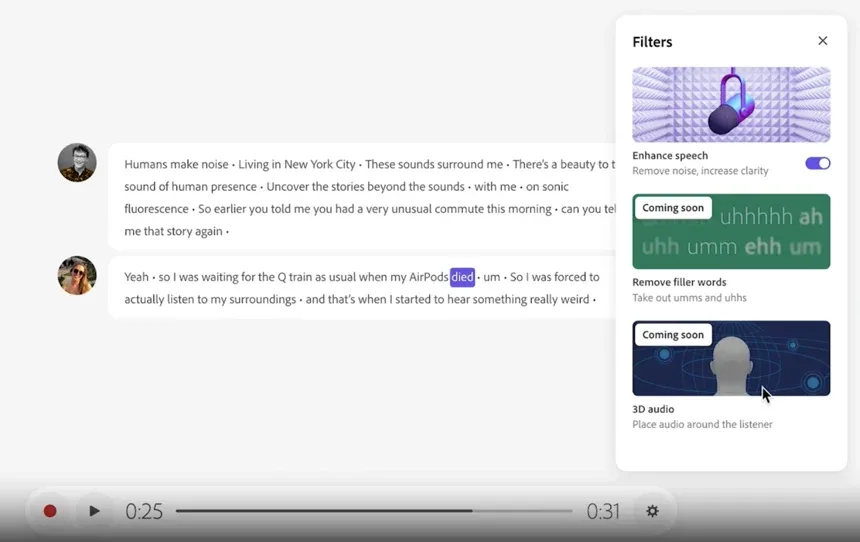
Audio Editing:Adobe Podcast
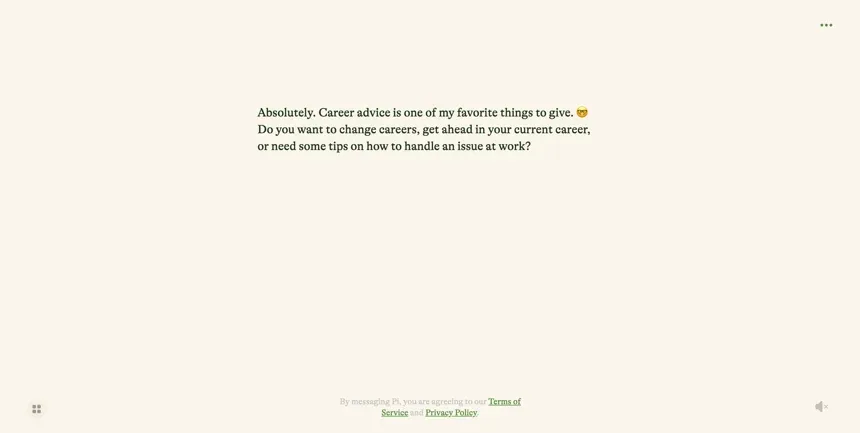
A Career Mentor: Pi
The Future of UI/UX as AI LLMs Commands Become More Powerful
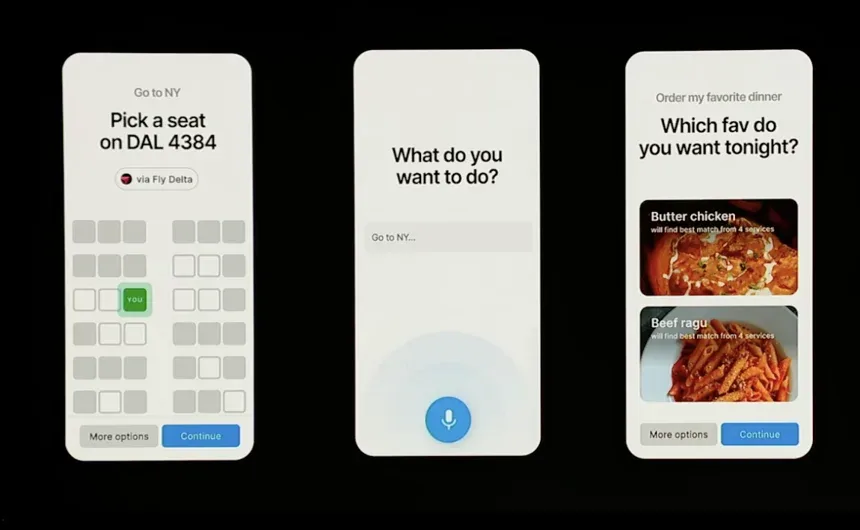
As we journey into the future, the power of AI-driven commands is set to reach new heights, revolutionizing the way we interact with technology. With the potential to streamline entire processes into a single command, the visual information presented to users will be significantly reduced. According to Figma from Config 2023, the user interface is expected to undergo a radical transformation, shifting away from traditional apps and embracing the concept of “tasks” instead. Why bother navigating through a takeout ordering app on your phone when you can effortlessly instruct an advanced language model to handle the entire experience for you? The possibilities for AI are limitless, leaving us to wonder: what exciting advancements await us in the realm of artificial intelligence?
References
- Adobe Podcast: https://podcast.adobe.com
- Bard. (n.d.). https://bard.google.com
- Bing AI. (n.d.). https://www.microsoft.com/en-us/bing
- Canva Magic Write. (n.d.). https://www.canva.com/magic-write
- Clickup: https://clickup.com
- Copilot AI: https://blogs.microsoft.com/blog/2023/03/16/introducing-microsoft-365-copilot-your-copilot-for-work
- Copy.ai: https://www.copy.ai
- Data-Driven Investor. (n.d.). AI in Design: Current Trends and Future Possibilities.: https://medium.datadriveninvestor.com/ai-in-design-current-trends-and-future-possibilities-1318d637393
- Deepmind Sparrow: https://www.deepmind.com/blog/building-safer-dialogue-agents
- Dropbox Dash. (n.d.). https://www.dropbox.com/dash
- Figma Config. (n.d.). Video on Demand. https://config.figma.com/video-on-demand/6329924726112
- Figma Magician: https://www.figma.com/whats-new
- Github Copilot: https://github.com/features/copilot?ref=eluna
- Glean: https://glean.com/product/overview
- GrammarlyGO. (n.d.). Retrieved from https://www.grammarly.com/grammarlygo
- GrammarlyGO Video. (n.d.). https://www.youtube.com/watch?v=mIqEn-GncUw\&t=4s
- Jasper AI. (n.d.). https://www.jasper.ai
- Jenni.AI: https://jenni.ai
- Kaiber: https://kaiber.ai/login?redirect=/dashboard
- Llama Index: https://www.llamaindex.ai
- LukeW Interface Designs. (n.d.). AI in Design. https://www.lukew.com/ff/entry.asp?2009
- Material Design. (n.d.). Understanding Layout Principles. https://m2.material.io/design/layout/understanding-layout.html#principles
- Miro Ai. (n.d.). https://miro.com/ai
- National Cyber Security Centre. (n.d.). ChatGPT and Large Language Models: What’s the Risk? https://www.ncsc.gov.uk/blog-post/chatgpt-and-large-language-models-whats-the-risk
- Notion AI. (n.d.). https://www.notion.so/product/ai
- OpenAI: https://openai.com/blog/chatgpt
- Otter.ai: http://Otter.ai
- Photoshop AI: https://www.adobe.com/products/photoshop/generative-fill.html
- Pi AI: https://pi.ai/talk
- SlackGPT: https://slack.com/blog/news/introducing-slack-gpt
- Smashing Magazine. (2023, March). AI Technology Transforming Design.: https://www.smashingmagazine.com/2023/03/ai-technology-transform-design
- Spotify Enhance. (2021, September 9). Get Perfect Song Recommendations in the Playlists You Create with Enhance.: https://newsroom.spotify.com/2021-09-09/get-perfect-song-recommendations-in-the-playlists-you-create-with-enhance
- Synthesia: https://www.synthesia.io
- Tome: https://tome.app/lightspeed-venture-partners/storytelling-at-the-cost-of-zero-cleetx7da033n1z6l9e9n861u
- Tripnotes: https://tripnotes.ai/app
- UX Design Bootcamp. (n.d.). The Unstoppable Rise of Spark as AI’s Iconic Symbol.: https://bootcamp.uxdesign.cc/the-unstoppable-rise-of-spark-as-ais-iconic-symbol-ca663162cccc
What’s Next
If you have an AI development project and would like some expert help from our Focused Labs consultants, complete our Contact Us form and we will have a human chat.
We’ll use the information you provide to respond to your enquiry. Learn more about how we handle your personal data in our Privacy Policy.
/Contact Us

Modernize your legacy with Focused
Get in touch