LangChain
Driving Value with LangSmith Insights
A practical walkthrough of using LangSmith Insights to understand real user behavior in production AI agents.
Dec 11, 2025
.webp)
Imagine you have a deployed agentic system in production. Everything is going well, users are interacting with the product, and there are no critical issues going on. But what comes next? How can we monitor our system to understand what needs to be improved, fixed or built next?
The first requirement is to have great observability. LangSmith is a great tool for this.
We can use it to monitor all of our production runs, detect errors and understand how the model behaves across different interactions.
In October 2025, October LangChain released a new feature: Insights Agent. This feature allows an agent to analyze your LangSmith traces and surface usage patterns, common behaviors, and recurring error modes automatically. Instead of manually digging through logs, you can let an agent do the analysis for you. If you want to read more about it, here's a link to the docs.
How to run the Insights Agent
We are going to go through a simple demo of how to use this exciting new tool with a simple chatbot graph.
Prerequisites:
- A Plus or Enterprise LangSmith plan
- A tracing project with a good amount of traces to analyze
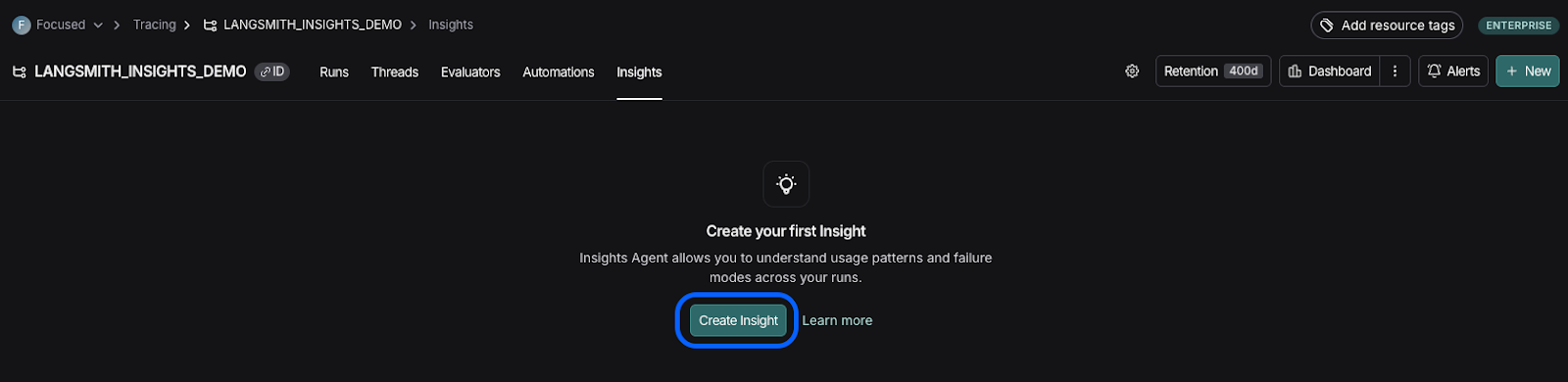
The first thing we need to do is go to our LangSmith project. Once there, we are going to see multiple tabs on the top of the screen. Click on the one that says “Insights”.

If this is our first time running Insights, we are going to see an empty page and a “Create Insight” button. We can go ahead and click it.
Now, we are presented with two alternatives for how to run the Insights Agent: auto or manual. For the sake of simplicity, let’s start with the “auto” mode.
We need to answer the following questions:
- “What does the agent in this tracing project do?”
- “What would you like to learn about this agent?”
- “How are traces in this tracing project structured? Are there specific input/output keys to pay attention to?”
This information will be used in our agent prompt, and will help tailor the output to our needs.
We can also choose if we want to use OpenAI or Anthropic as our provider. As a note, you will need an API key for either provider.
After we click on “Run Job”, we are going to see a message saying the agent has started running in the background and that we will have our results in a few minutes. If we navigate to the Insights tab we are going to see the agent run in progress as well as the results that start to come out.
How to understand and use the results
For this example, we are going to be using a chatbot that answers questions about restaurants and helps with making reservations.
The first part of the output is a summary of the findings. This is going to be the answer to the question we were asked earlier about what we wanted to learn about this agent. In this case, we wanted to understand what customers were asking the chatbot in order to identify user patterns.
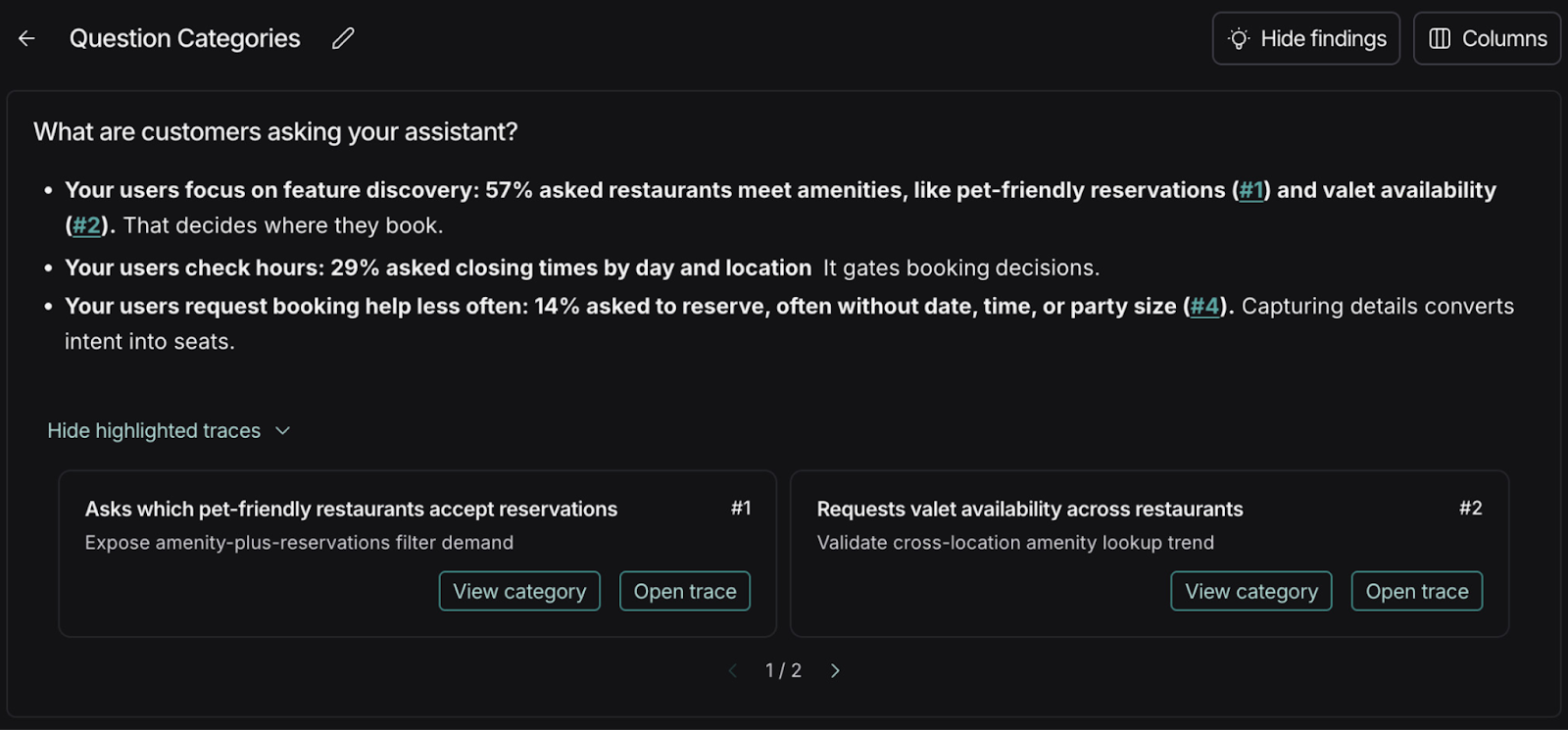
We can see that in this example, 57% of the questions being asked to our chatbot are about feature discovery, 29% are about operating hours, and only 14% are about making reservations.
This kind of result is interesting because it helps us understand what customers actually need. Maybe we initially assumed that most questions would be about making reservations, but this data doesn’t support that. LangSmith Insights is critical because it grounds our product decisions in real user behavior, helping us invest engineering effort where it delivers the most value.
If we click on the “Hide Findings” button, we can do a deep dive into the traces, broken down by category.
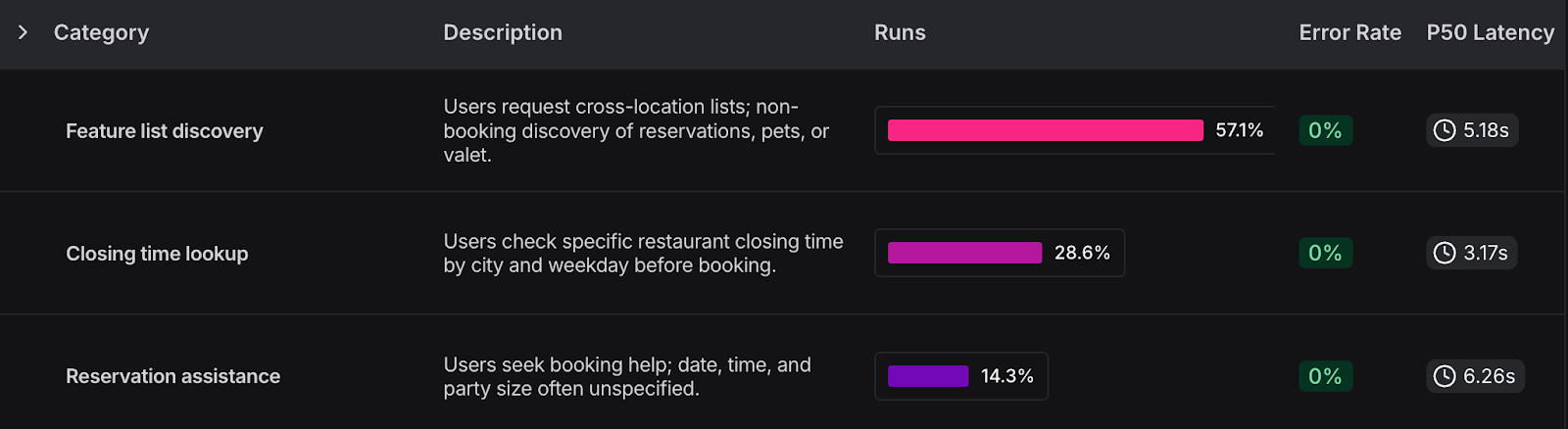
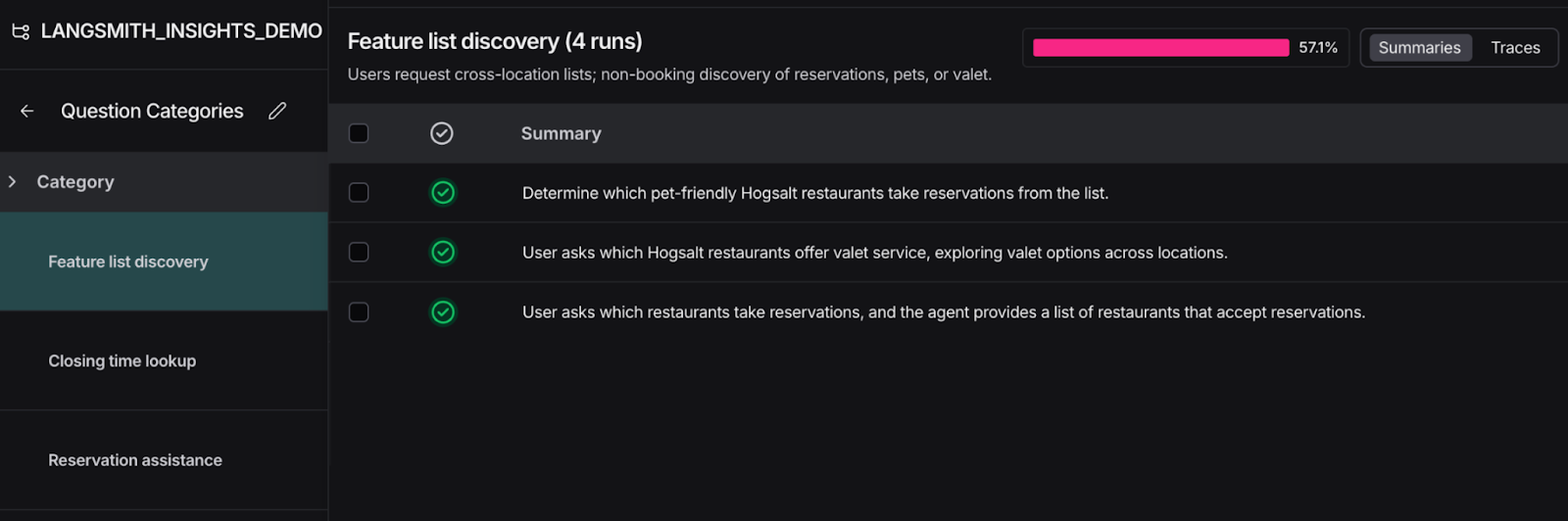
If we click on any of the categories we can see all runs within that category and navigate to the trace we are interested in.
Using evaluation + Insights to get the highest impact on value
Once we are comfortable with the categories of our generated insights, we can build evaluation datasets that mirror those categories. This way, we can understand how well our agent is answering questions across categories.
Why do insights change this process? Imagine we run our evaluations and we discover the agent is only answering 40% of questions around reservations correctly. But insights reveal that reservation questions are actually the least common user queries. That context lowers the overall criticality of the issue and helps us prioritize fixes more intelligently.
Insights add context to the analysis, but they don’t override business requirements. This is only an example: Depending on the use case, a low-frequency category like reservations may still demand zero errors if the business impact is high.
Final thoughts
We have gone through a simple example to illustrate the power of this tool. But as we’ve seen, we can ask the agent virtually any question we want. For example, we could ask, “What types of questions is my agent hallucinating on or answering incorrectly?” and the agent will find all traces that match that criteria. This is extremely flexible and powerful.
LangSmith is still king when it comes to building and observing production grade AI applications, and this kind of feature is the reason why I encourage you to try it out and continue to create amazing applications with it!
/Contact Us

Modernize your legacy with Focused
Get in touch